BiniSoft Windows Firewall Control v4.0.0.4

XYZ軟體補給站-XYZ教學網-XYZ教育王
最新目錄光碟
方向115上學期國小.國中.高中
方向114下學期國小.國中.高中
方向114上學期國小.國中.高中
方向113下學期國小.國中.高中
方向113上學期國小.國中.高中
方向114學年國中高中影音教學
方向2026年知名線上課程教學
方向2026年4月10號軟體新片
國小.國中.高中教學
方向國小命題.考卷類.教學
方向國中命題.考卷類.教學
方向高中命題.考卷類.教學
方向三貝德升學王影音教學
方向三貝德小學王影音教學
方向翰林雲端學院影音教學
方向康軒學習網影音教學
方向萬試通學習王影音教學
方向AI學霸網影音教學
方向OneStudy+影音教學
方向行動補習網影音教學
方向名師學院影音教學
方向一點通、五南、林晟
方向國小補習班影音教學
方向國中補習班影音教學
方向高中補習班影音教學
方向四技統測.警專.護理師
線上課程綜合教學
方向YOTTA線上課程綜合教學
方向HAHOW線上課程綜合教學
方向PPA線上課程綜合教學
方向OMIA線上課程綜合教學
方向UD線上課程綜合教學
方向知識衛星線上課程教學
方向9比1線上課程綜合教學
方向天下線上課程綜合教學
方向知名線上課程綜合教學
方向edu磨課師課程綜合教學
方向臺灣全民學習平台
方向2026年知名有聲書教學
方向兒童、青少年聽書_有聲書
方向朗讀、名人說書_有聲書
方向相聲、課堂講座_有聲書
方向中醫.命理.股票.講說
電子書綜合教學
方向漫畫合輯相關電子書
方向人文社會相關電子書
方向休閒生活相關電子書
方向宗教心靈相關電子書
方向財經商管相關電子書
方向語言學習、電腦資訊
方向親子童書、漫畫繪本
方向文學小說相關電子書
方向醫藥養生、藝術設計
方向考試證照、科學科普
方向少兒親子相關電子書
方向心理勵志相關電子書
方向世界文學、生活風格
方向政府考用、社會科學、建築
方向科學、哲學宗教、旅遊
方向教育、商業相關電子書
方向傳記、華文文學電子書
方向語言、電腦、歷史地理
方向醫學保健、藝術、類型文學
方向電子書、多媒體綜合教學
公職國考.研究所(單科)
方向TKB數位學堂影音教學
方向高點.高上影音教學
方向超級函授影音教學
方向金榜函授影音教學
方向讀享國考小學堂影音教學
方向三民輔考影音教學
方向立功補習班影音教學
方向所有科目題庫班相關考試
方向所有科目總複習相關考試
方向公職國考共同科目
方向行政.司法相關考試
方向律師司法官.司法相關
方向商業.會計.管理相關考試
方向電子.電機.資訊相關考試
方向土木.結構.機械相關考試
方向測量.水利.環工.工業考試
方向社會.文化.地政.不動產
方向物理.化學.後醫.插大
方向護理.營養.衛生.醫類
方向教育.觀光.心理.語言
方向警察,消防,法類相關考試
方向鐵路.郵政.運輸.農業考試
方向未分類相關考試
公職國考就業(套裝)
方向公務人員高普考相關考試
方向關務.移民.外交.民航
方向國安局.調查局.司法.警察
方向公務人員鐵路特考
方向技師執照類相關考試
方向教職.轉學考.後醫.研究所
方向國營事業相關考試
專業繪圖軟體
方向工程繪圖.計算.分析軟體
方向繪圖、圖像、靜態影像
方向電子.電機.電信應用軟體
方向3D動畫、模型、模具軟體
方向Autodesk系列程式軟體
方向ADOBE奧多比工具軟體
方向Corel、PTC、訊連、圖庫
程式軟體光碟
方向程式合輯、軟體合輯
方向影片、多媒體相關軟體
方向音樂、聲音相關軟體工具
方向字型、微軟系列軟體
方向系統優化.清理.修復工具
方向掃描.PDF.辦公文書工具
方向程式開發.數據.資料庫
方向FTP傳輸.下載.遠端工具
方向報表.會計.統計.數學軟體
方向硬碟.備份救援.還原工具
方向未分類、綜合程式軟體
網站首頁網站首頁 站內搜索站內搜索 購物結帳購物結帳 手動下單手動下單 問題反應問題反應 訂單查詢訂單查詢 訂購說明
方向 您現在的位置:網站首頁 方向 程式軟體光碟 方向 防毒防駭安全軟體 方向 光碟詳情
商品編號:TND3262
商品名稱:BiniSoft Windows Firewall Control v4.0.0.4
商品分類:防毒防駭安全軟體
語系版本:英文正式版
商品類型:防火牆控制軟體
運行平台:Windows XP/Vista/7
更新日期:2013-09-04
光碟片數:1片CD光碟
銷售價格:$100元
熱門標籤: 防火牆控制軟體  BiniSoft  Windows  Firewall  Control 
馬上訂購 返回上一頁

BiniSoft Windows Firewall Control v4.0.0.4 英文正式版(防火牆控制軟體)


安裝序號:

序號產生器放至於keygen夾內
內容說明:

一個小而易於使用的應用程式運行在你的系統托盤,並提供快速訪問最頻繁使用的從
Windows防火牆選項。
英文說明:

Microsoft Windows 7 and Windows Vista have already a
built-in default, free and powerfull firewalls, but
unfortunately, they lack a simple interface to define own
simple rules and can be difficult sometimes to configure
them the right way. Windows Firewall Control is a nifty
little application developed to provide quick access to the
most frequent options used from Windows Firewall. It sits
in the system tray and allows user to control the Windows
Firewall easily without having to waste time by navigating
to the specific part of the Firewall. Options to enable or
disable firewall, access Windows Firewall and it?s Advanced
Security are all given in the system tray right-click
context menu. It extends the default functionality of the
native firewall by integrating the program into the context
menu of the executable files and by showing to the user the
notifications of outgoing blocked connections. This is the
best tool to manage the native firewall in Windows 7 and
Windows Vista.
? Windows Firewall Control offers access to four filtering
modes, each with their own status icon in system tray, and
different functionality:

High Filtering - All outgoing connections are blocked.
Neither of programs can not initiate outgoing connections.
This setting blocks all attempts to connect to and from
your computer. With this option, you aren't notified when
Windows Firewall blocks programs, and programs in the list
of allowed programs are ignored.
Medium Filtering - Outgoing connections that do not match a
rule are blocked. Only programs you allow can initiate
outgoing connections. If you want to allow a program to
communicate through the firewall, you can add it to the
list of allowed programs. For example, you might not be
able to send photos in an instant message until you add the
instant messaging program to the list of allowed programs.
Low Filtering - Outgoing connections that do not match a
rule are allowed. You can block the programs you do not
want to allow to initiate outgoing connections. If you want
to block a program to communicate through the firewall, you
can add it to the list of blocked programs. For example,
you might want to block an instant messaging program so
just add the program to the list of blocked programs.
No Filtering - Windows Firewall is turned off. Avoid using
this setting unless you have another firewall running on
your computer. Turning off Windows Firewall might make your
computer (and your network, if you have one) more
vulnerable to damage from hackers and malicious software.
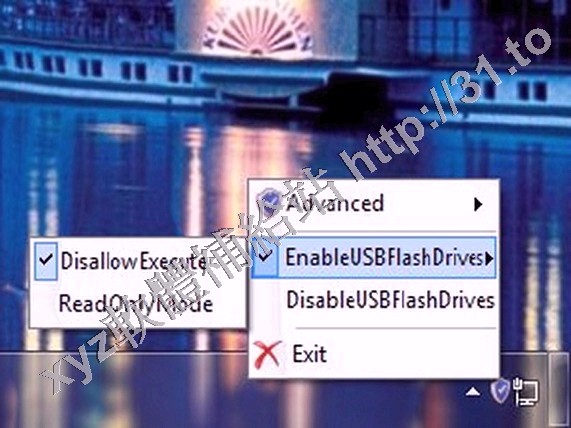
圖片說明:

BiniSoft Windows Firewall Control v4.0.0.4 英文正式版(防火牆控制軟體)
相關商品:
  • BiniSoft Windows Firewall Control v4.9.5.0 英文正式版(防火牆控制軟體)
  • BiniSoft Windows Firewall Control v4.0.9.2 英文正式版(防火牆控制軟體)
  • BiniSoft Windows Firewall Control v3.1.0.3 英文正式版(防火牆控制軟體)
  • Windows Firewall Control v4.5.0.4 英文正式版(防火牆控制軟體)
  • Windows Firewall Control v3.9.1.0 英文正式版(防火牆控制軟體)
  • NETGATE FortKnox Personal Firewall v7.0.705 英文正式版(網路安全防護防火牆軟體)
  • McAfee Device Control v9.2 英文正式版(系統安全防護軟體)
  • McAfee Device Control v9.3 P2 10TH BIRTHDAY 英文正式版(系統安全防護軟體)
  • User Control 2015 v15.672 英文正式版(保護自己的電腦軟體)
  • Dr.Web Anti-virus for Windows v10.0.0.12011 英文/繁體中文版(反病毒軟體)


  • 站內搜索


    請輸入軟體名稱或編號
    購物車
    熱門關鍵字
    McAfee 防毒軟體
    Security Internet
    Antivirus Agent
    BIRTHDAY Malware
    Control Kaspersky
    Remover Virus
    ESET NOD32
    avast Emergency
    Endpoint NETGATE
    Patch Windows
    Autorun Client
    Firewall Software
    Symantec 反病毒軟體
    反間諜軟體 監視Active
    ePolicy Norton
    Premier Softheap
    Trojan Avira
    BiniSoft Cleaner
    Collector Content
    Device Embedded